
Training Courses

Training Courses –
Our Services
You and your team can benefit from our in-depth knowledge and many years of experience in IT security through hands-on training sessions.
Application Security Basics
Training for everyone – administrators, software developers, project managers, architects.
Secure Software Development with AI (AI-SDLC)
OWASP Top 10 – Application Security Quickstart
Best Practices for Secure Software Development (Web, API, Mobile)
Application Security in Practice
Training for DevOps & developers
Deep Dive: Secure Agentic Coding
LLM Security Best Practices
DevSecOps: Security in the CI/CD Pipeline
Secure Coding for Mobile Apps
Secure Coding for Java
Penetration Testing
Training for penetration testers
Advanced Application Security Penetration Testing
Basic Training: Performing Penetration Tests
Your trainers
Our promise: from practice, for practice, and always up to date. That's why all our trainers are active experts with many years of experience in their respective fields.
More ABOUT Dr. Bastian Braun
Bastian Braun is a Senior Consultant IT Security at mgm security partners. He works on the development of secure web applications using agile processes, leads seminars for developers, project managers and penetration testers, performs product and security analyses, and advises clients on all aspects of web security.
He has been involved in web security for more than 15 years from an academic research perspective and as applied best practice. He particularly enjoys transferring academic research results into everyday industrial practice. He is a board member of the German OWASP Chapter and a regular speaker at relevant conferences.

Dr. Bastian Braun
More ABOUT Dr. Benjamin Kellermann
Benjamin Kellermann is an information security consultant and penetration tester at mgm security partners in Dresden. Since 2004, he has been intensively involved in information security and conducted research on secure web applications at the Chair of Data Protection and Data Security with Prof. Andreas Pfitzmann. For several years he taught in the field of information security and is a speaker at numerous conferences. Through many security audits and penetration tests, Mr. Kellermann has the necessary expertise to address even technically very detailed questions.

Dr. Benjamin Kellermann
More ABOUT Mirko Richter
Mirko Richter is an SSDLC consultant, SAST specialist, penetration tester and branch manager at mgm security partners in Dresden and has many years of experience as a developer, project manager and architect.
He has in-depth know-how and experience in hardening software solutions in the web-based area. In order to maintain this know-how, he is still actively involved in software projects alongside his consulting work and can therefore respond to relevant questions in great detail.

Mirko Richter
More ABOUT Björn Kirschner
Björn Kirschner is an information security consultant and penetration tester at mgm security partners in Munich. Björn can look back on many penetration tests of a wide variety of technologies (web applications, mobile apps, network infrastructure, servers, ...). In addition to seminars, he conducts source code analyses and advises clients on many aspects of web application security, especially within the framework of a secure development process.

Björn Kirschner
More ABOUT Reinhard Böhme
Reinhard Böhme is an experienced IT security consultant and trainer with a broad technical background and practical expertise in penetration testing (Web, Mobile, Infrastructure, Host Audits, ASVS) and cloud security (Azure, AWS). He combines in-depth knowledge of modern cloud infrastructures and information security with practical experience, making complex security topics practical and interesting for his seminar participants.

Reinhard Böhme
For us, knowledge transfer means more than just conveying facts. In addition to maintaining high professional standards, we believe that training should be enjoyable. A successful training session fosters enthusiasm for the topic within your company.
In-Person Seminar
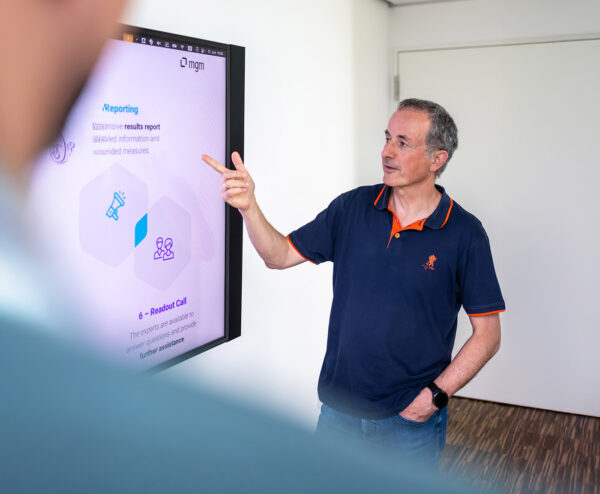
We don't turn participants into passive listeners; instead, we make them active contributors to the learning process. In-person seminars combine focused learning with personal interaction and a shared experience.
Online Seminar
Our online seminars deliver knowledge efficiently and can be flexibly integrated into your daily work routine. We tailor the content, schedule, and instructors specifically to your needs.
Continuous Learning
We view learning as a continuous process that builds knowledge over the long term and firmly anchors it in everyday work. Experts guide participants as they work together to address current issues and learn from one another.
Self-Paced Learning
We enable participants to learn at their own pace—without being tied to fixed schedules and tailored to their individual needs. Practical exercises, AI, and, if desired, an expert are available to support them.
Blended Learning
We combine different learning formats to create a personalized learning journey. The result is a training program that is tailored to your company’s specific needs, both in terms of content and organization.
Training format & methodology
Interesting facts about our online training courses
- Live & Interactive
The trainer is live in the studio, allowing you to ask questions and discuss topics via voice and chat at any time. - Hands-On
Our convenient practice environment is available in the cloud. - Individual
No one is left behind. The training is also available as a video stream afterwards. - Full Focus
The use of modern technology ensures a smooth process.
The video conferencing system
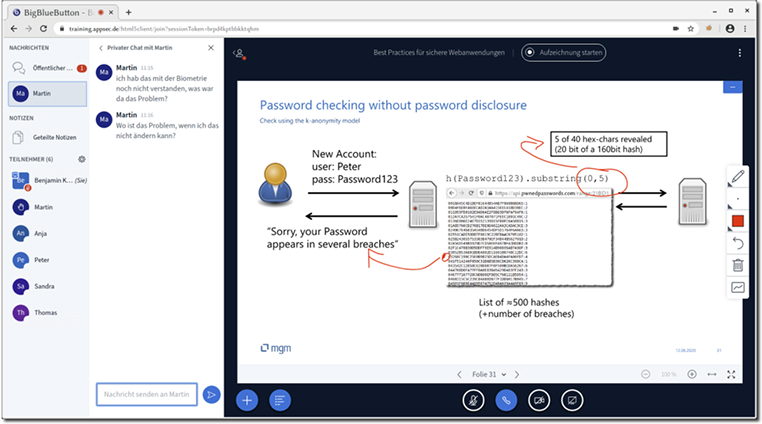
We use the BigBlueButton training environment for our online training courses.
The platform is hosted in our data center and dedicated to training, so we don't have to compromise on data protection. A 1 Gbit connection ensures very good performance. Only a modern web browser is required to use the environment; no additional client software needs to be installed.
In addition to classic conference features such as live chat and screen sharing, the training environment also offers support for so-called breakout rooms, which can be used for group exercises, as well as the option for participants to share the slides for editing with a virtual pen.
FAQ
Isn't it very difficult to follow a face-to-face seminar from your home office with concentration?
If the online training is designed as a 1:1 reproduction of a normal face-to-face seminar, that is certainly the case. We have invested a lot of time in preparing the content for online delivery and are convinced that we have largely eliminated the disadvantages and that the advantages are fully realized.
Does real interaction even occur?
Our experience shows that this is the case: the threshold for asking questions is very low in the chat. Prepared, frequently interspersed quizzes therefore provide variety, participants can take control of the medium at any time, and the inclusion of other media such as videos, hands-on exercises, etc. provide further stimulation. We have had these experiences not only in smaller training courses at companies, but also in larger seminars that we have conducted at the TU Dresden.
How can the trainer effectively assist with exercises?
For exercises, we use a training environment that we developed ourselves (https://github.com/mgm-sp/NinjaDVA). Within this environment, the trainer can monitor individual steps within the exercise tasks. This allows the trainer to provide guidance without participants even having to ask questions. Additionally, participants are situationally divided into breakout rooms, which form a separate environment for individual participants or working groups. The trainer can connect at any time and provide individual support.
Doesn't it often happen that people talk over each other due to latency?
This cannot be completely avoided, but measures such as the raise-hands feature of our platform reduce it to the point where it doesn't really present a disruptive factor.



Our training environment NinjaDVA
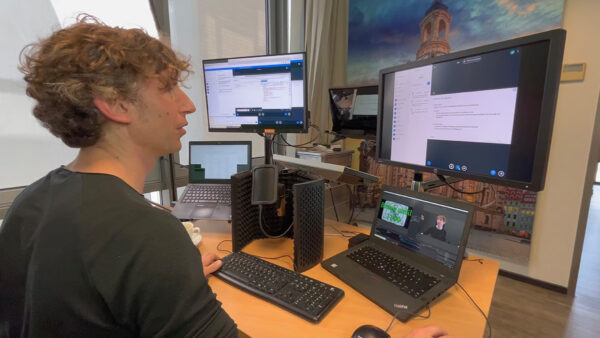
For our training courses with practical exercises, we use the convenient, mobile training environment NinjaDVA.
This allows participants to directly apply what they have learned and experiment with in-depth exercises.
Particularly important: We adapt to you, not the other way around. That's why we attach great importance to participants using their own laptops with their individual working and development environments.
The Dashboard
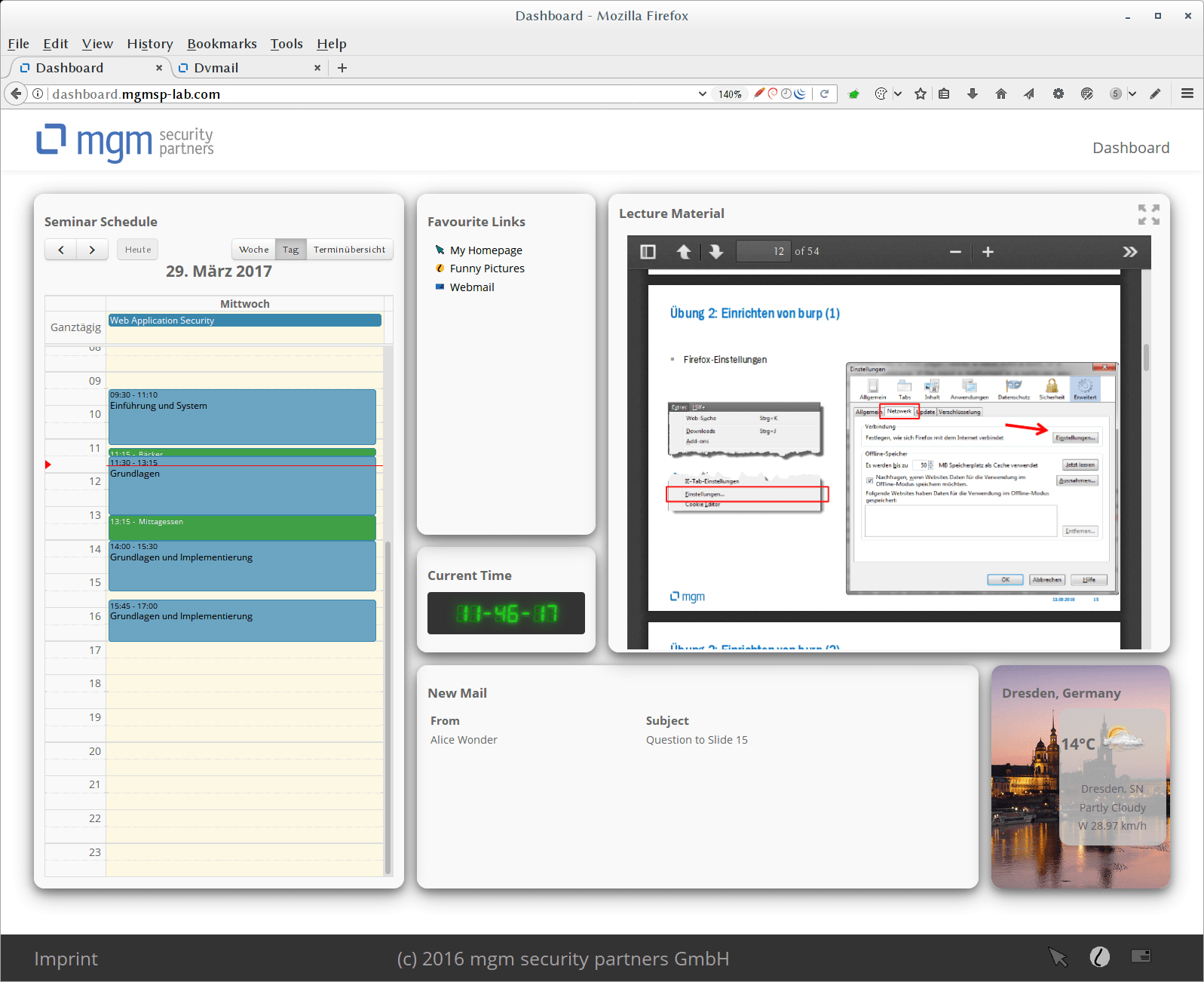
The entry point is a dashboard where the planned seminar schedule can be viewed and the lecture content can be followed. It also offers communicative possibilities for exchanging information with the trainer or other seminar participants.
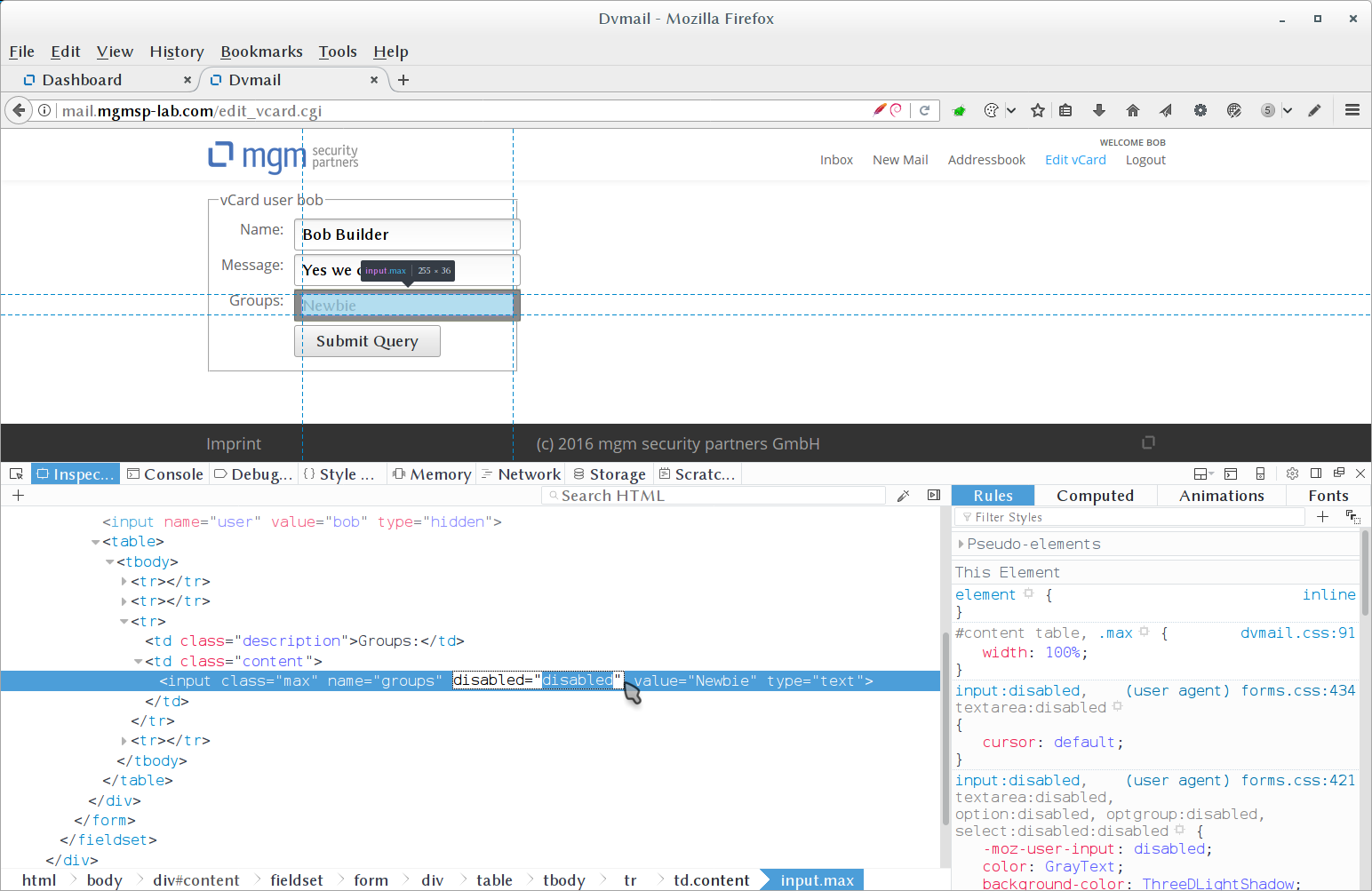
The Live-Hacking Module
The integration of presentation and training environment also enables participants to experiment effectively and deepen what they have learned with minimal training effort in a highly homogeneous training environment.
The participant has the opportunity to put themselves in the position of an attacker and thus learns to better understand their way of thinking. In an online editor that can be used via the browser, participants can, for example, easily create their own websites to try out various web attacks themselves.
The technical requirements for the clients are minimal. Each participant can use their usual working environment.
The Secure-Coding Module
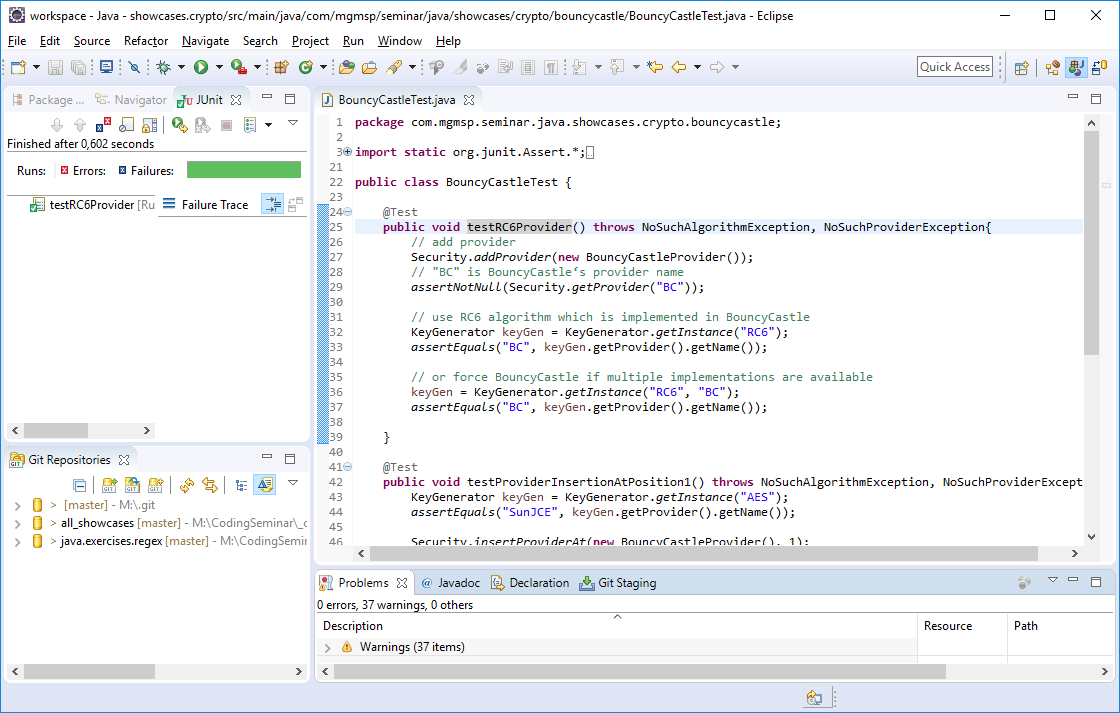
After vulnerabilities as well as general and technology-specific countermeasures have been discussed in excerpts in the lecture-accompanying seminar slides, the trainer provides the code (project, modules, classes, etc.) relevant to the current topic in a buildable and executable form in the training environment. Participants can now check out this code into their usual working environment (Eclipse, IntelliJ, etc.) in order to then execute it themselves and experiment with it.
In addition, for many libraries presented in the context of concrete code-specific countermeasures, participants have the opportunity to solve given coding tasks themselves in interactive exercise units. The fulfillment of these exercise tasks is automatically checked after a successful commit to the provided exercise server, and the participant immediately receives corresponding feedback. The trainer can see at any time which participant still needs help and can thus respond quickly and purposefully to individual problems.
Your Benefit
Well-trained employees are the most effective defense against security vulnerabilities. Our training courses equip your team to identify risks and reliably implement standards – practically, up-to-date, and directly applicable.
- From practical experience for practical application: Our trainers are active experts with many years of experience in their respective fields.
- More than 100 companies and over 1,000 trained developers, administrators and security officers.
- Economical for you with as few as 3 to 4 participants.
- Flexible mobile training environment, with content that is always up to date and can be individually adapted to your requirements.
- All training courses can be booked as in-person, online, or hybrid events.