
As part of an internal research project in the field of hardware security, an internet-based webcam was examined.
The camera is advertised as a surveillance solution for indoor use - including security monitoring at home, monitoring babies and the elderly, and as a pet camera. It has motion detection that identifies people and animals and immediately sends a notification to the smartphone app when events occur.
For storage, the camera supports both local recording on an SD card and optional cloud storage with a 7-day playback function (the cloud service requires a paid subscription).
Hardware Analysis
In the first step, we focus on identifying the installed hardware components. The focus is particularly on memory modules such as ROM or flash, the microcontroller used, communication modules (e.g. Bluetooth or WLAN) and possible debugging interfaces such as UART or JTAG.
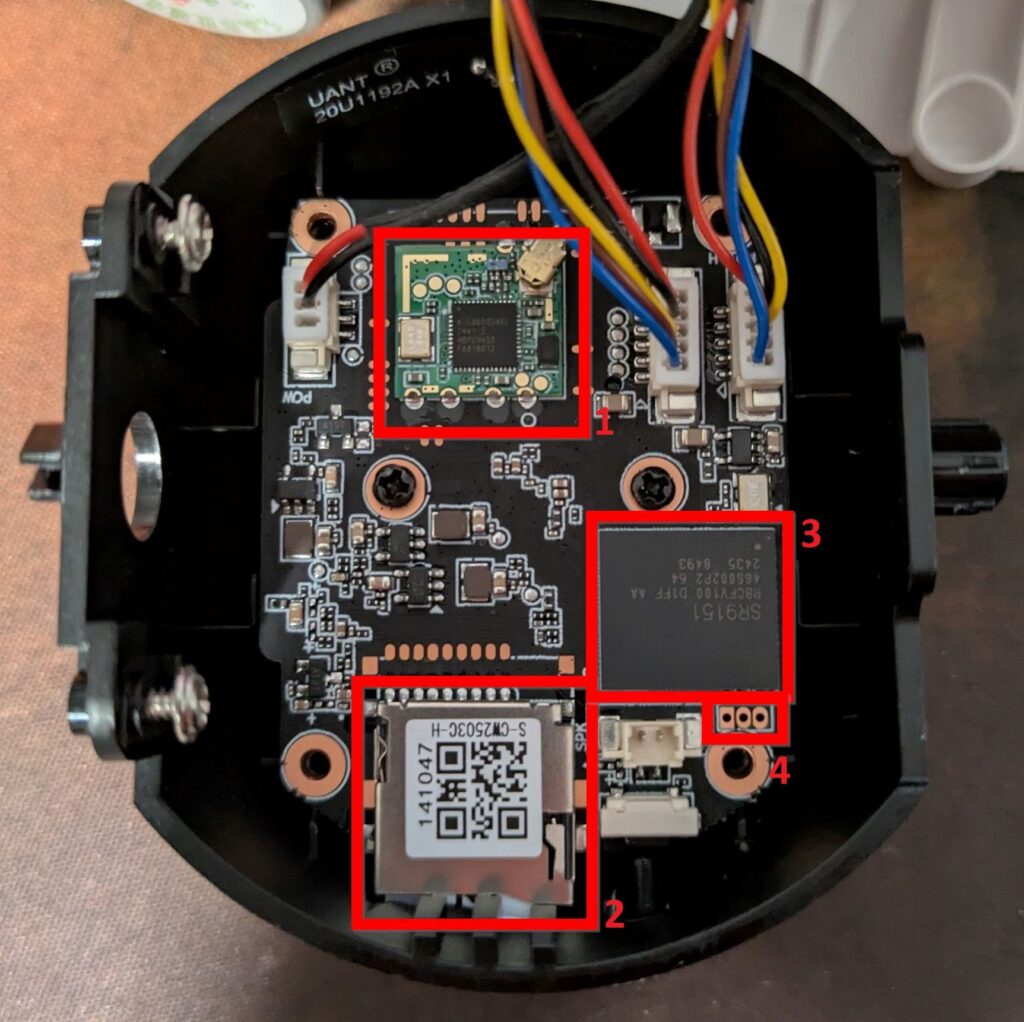
After opening the camera housing, these components can be visually identified and examined in more detail. The following components are of particular interest for our analysis:
- WLAN module (AIC8800D40L)
- SD card slot (for offline storage of recorded videos and images)
- An unknown microcontroller
- 3-pin header (presumably UART interface)
On the underside of the board is a component labeled FM25Q128A:
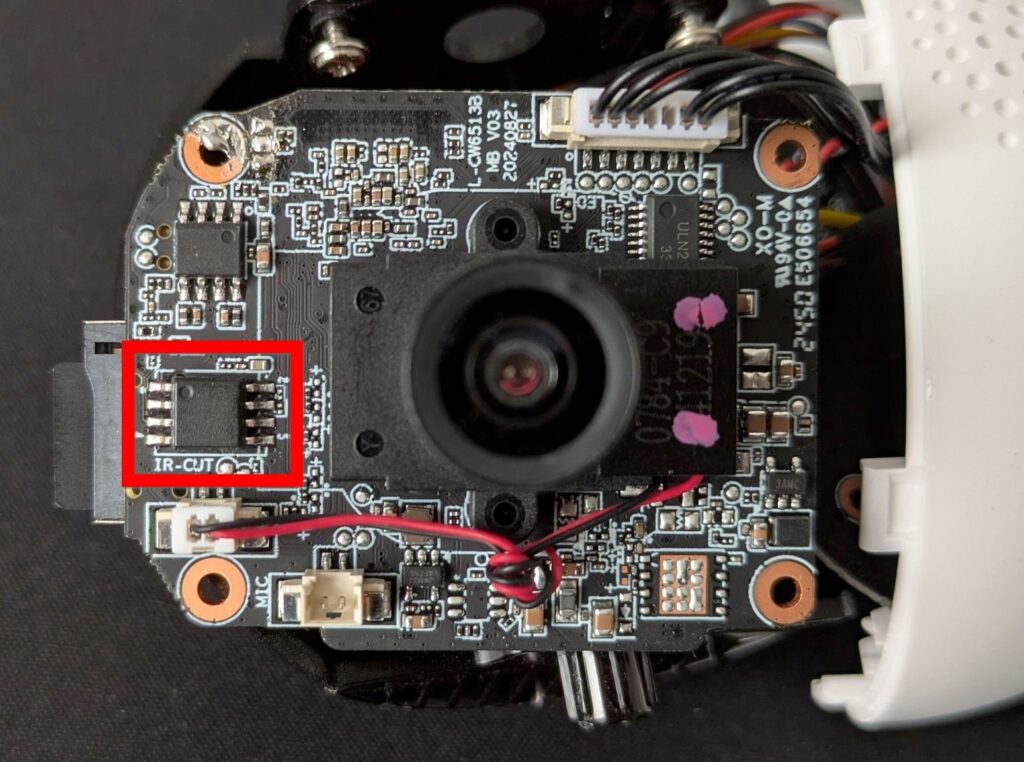
A search for this ID yields a link to the component's datasheet (https://mt-system.ru/upload/9.pdf), which confirms that it is a serial flash memory.
Such memory typically contains the device's firmware - i.e., the operating software required to load the kernel and communicate with the device's peripherals.
The firmware is a worthwhile target for attackers, as vulnerabilities in this area can lead to a permanent compromise of the device. Accessing the file system can often reveal credentials, configuration files, cryptographic keys, or hidden/undocumented functions.
Firmware Dumping
To read the firmware from the chip, a so-called In-Circuit Programmer (ICP) can be used, for example. The advantage of such a device is that the memory chip does not have to be unsoldered from the board in order to read it or reprogram it. Instead, the interaction with the chip takes place via an interface (e.g. JTAG, SWD, ISP, SPI).
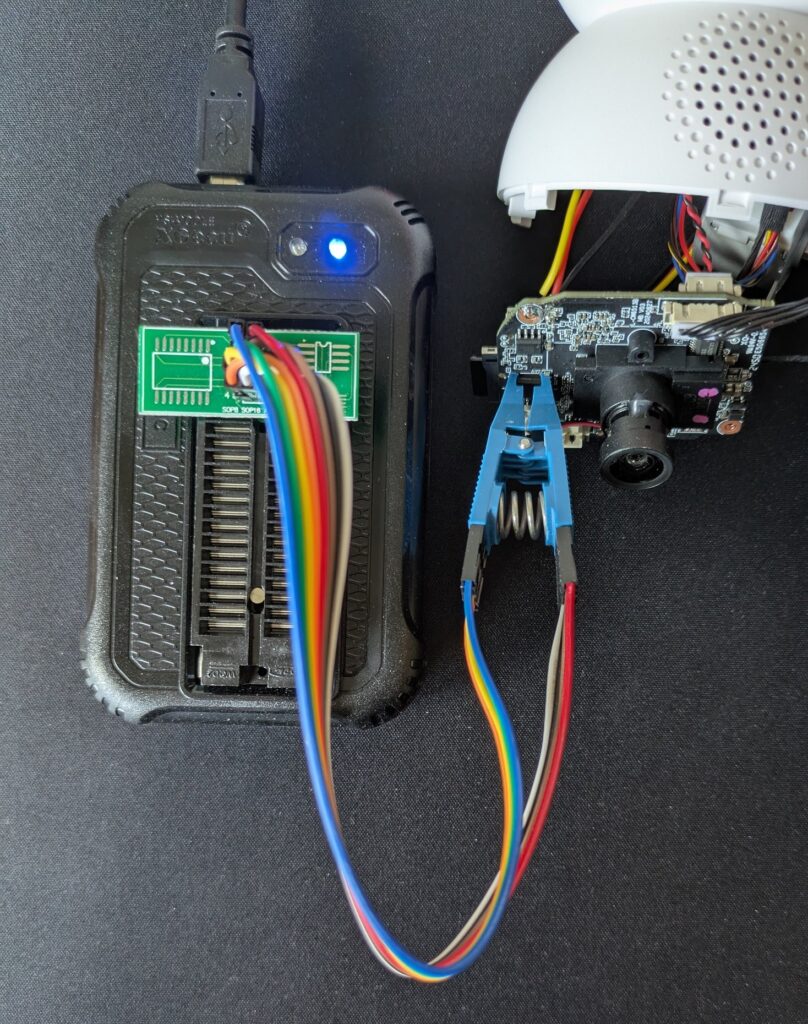
To read out the firmware, we use the XGecu T48 Programmer (http://www.xgecu.com/EN/TL866_main.html) in combination with a SOIC clip.
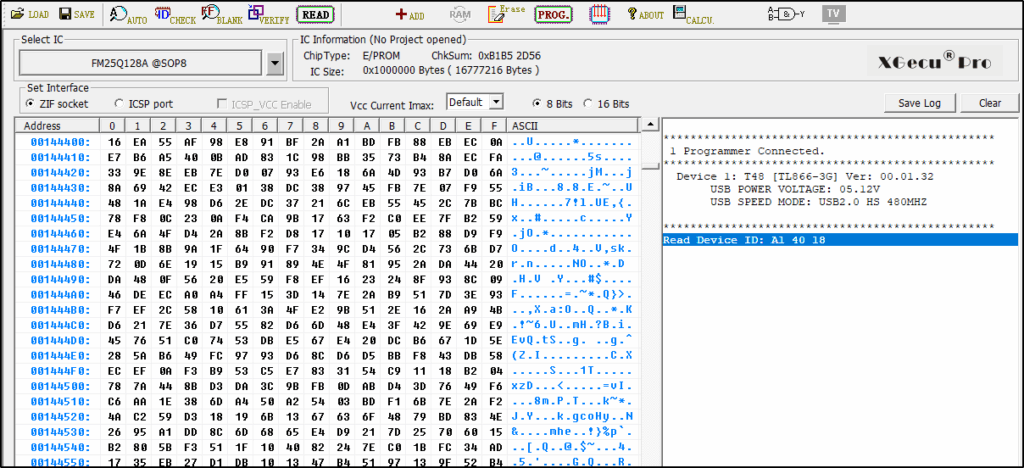
The graphical user interface (GUI) of the XGecu tool can be used to check the ID of the memory chip before the firmware is extracted from the component. Verifying the dump ensures that the readout process was carried out without errors.
The tool binwalk (https://github.com/ReFirmLabs/binwalk) can now be used to analyze the extracted firmware dump. Binwalk analyzes the dump and searches for file systems, firmware images and files based on signatures.
The firmware dump of the WiFi camera contains the U-Boot binary, the kernel image, as well as various SquashFS and JFFS2 file systems.
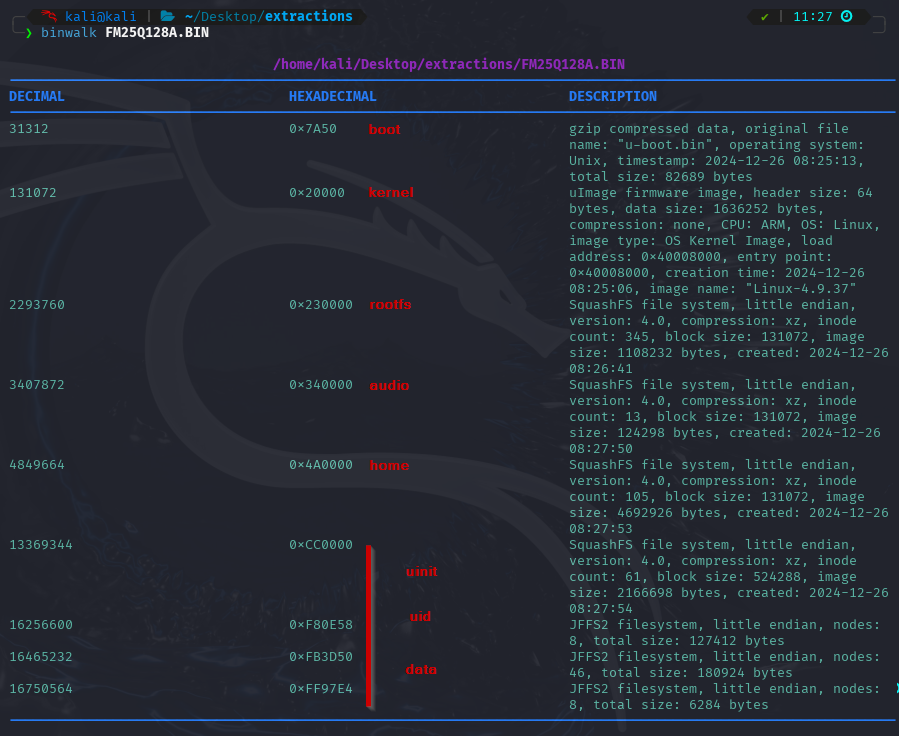
U-Boot (https://www.u-boot.org/) is a bootloader that is frequently used in the IoT environment. If access to an inadequately secured serial interface, such as UART, is successful, the bootloader can be interacted with or even the entire boot process can be interrupted.
In the unpacked firmware, you can now specifically search for sensitive files. The password hash of the root user is located in the first SquashFS file system, starting from offset 0x230000 in the dump. (Image)

The outdated algorithm md5crypt was used to hash the password. However, attempts to crack the password within a reasonable period of time were unsuccessful. This suggests that the password has sufficient complexity and is at least eight characters long.
In a further blog post, we will show which information can be read out from the file system in order to ultimately obtain root rights on the running system.